
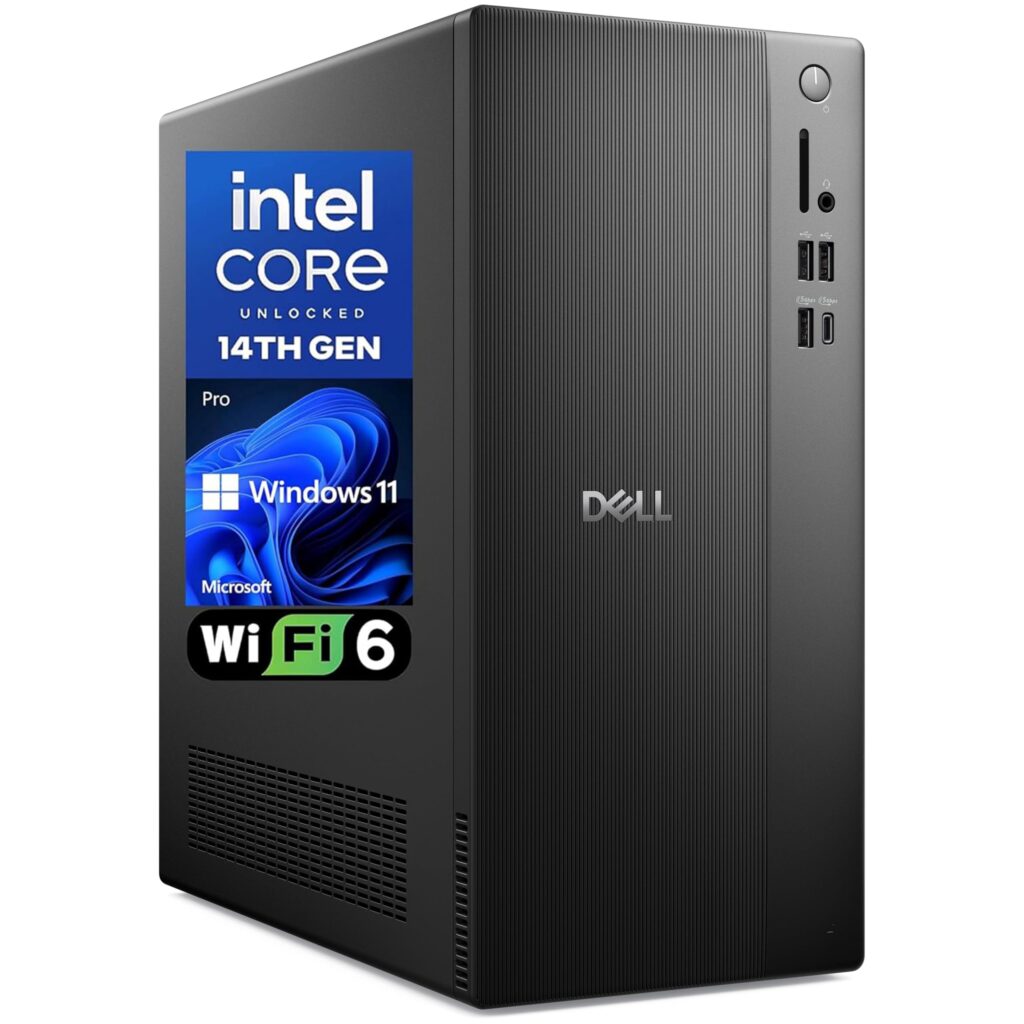
- Quiet everyday operation during routine home and office computing
- Capable baseline productivity performance from the 14th Gen Core i3-14100, DDR5 memory, and 512GB PCIe SSD
- Practical built-in connectivity including DisplayPort, HDMI, USB Type-C, Wi-Fi 6, and Windows 11 Pro
- Multiple reports of slow booting and startup hangs requiring the tower to be unplugged and replugged
- Preinstalled software causes out-of-the-box lag until updated or manually removed
- Single report of early motherboard failure within four months of purchase
Overview
Entry-level office towers live or die by quiet predictability, and Dell leans into that formula with a metal-reinforced chassis housing Intel’s 14th Gen Core i3-14100. Pairing that 4-core, 8-thread processor—boosting up to 4.7 GHz—with 8GB or 16GB of DDR5 RAM and a 512GB PCIe SSD gives standard spreadsheets, browser-heavy workflows, and Windows 11 Pro office tasks plenty of breathing room. Essential connectivity is already on board, with DisplayPort, HDMI, USB Type-C, Wi-Fi 6, and Bluetooth covering modern desk setups out of the box.
In routine daily operation, the tower keeps a low acoustic profile and stays quiet while handling basic home and business workloads. That calm desk presence takes a hit during initial setup, however, because preinstalled software causes noticeable system lag until you run immediate updates or remove the bundled bloat manually.
Longer-term stability also shows a few rough edges in early owner reports. Multiple buyers encountered slow boot times and startup hangs that required unplugging the power cable and plugging it back in to get the machine running again, alongside a single report of a motherboard failing within four months. Expect a capable everyday productivity box once stripped of bundled software, as long as you verify clean cold-boot behavior early in the ownership window.
Technical Specifications
| Brand | Dell |
| Model | Pro 2027 Desktop Tower |
| Processor | 14th Gen Intel Core i3-14100 (4 cores, 8 threads, up to 4.7 GHz) |
| Memory | 8GB or 16GB DDR5 RAM |
| Storage | 512GB PCIe SSD |
| Operating System | Windows 11 Pro |
| Wireless Connectivity | Wi-Fi 6, Bluetooth |
| Ports | DisplayPort, HDMI, USB Type-C |
| Chassis | Metal-reinforced tower chassis |
Primary Sources & Audited Citations
Recommended Alternatives in Desktops & Prebuilts
At a Glance
How reliable is the Dell Pro 2027 Desktop Tower according to Mizex audits?
Buy this if you need an entry-level Windows 11 Pro tower with DDR5 memory and modern display outputs for everyday office tasks; look at a 6-core Core i5 or Ryzen 5 desktop if your workload demands heavier multitasking or creative rendering.
What are the known quirks or drawbacks of the Dell Pro 2027 Desktop Tower?
Our reliability audit identified the following documented caveats:
- Multiple reports of slow booting and startup hangs requiring the tower to be unplugged and replugged
- Preinstalled software causes out-of-the-box lag until updated or manually removed
- Single report of early motherboard failure within four months of purchase
What are the key engineering highlights of the Dell Pro 2027 Desktop Tower?
The top strengths recorded in our evaluation include:
- Quiet everyday operation during routine home and office computing
- Capable baseline productivity performance from the 14th Gen Core i3-14100, DDR5 memory, and 512GB PCIe SSD
- Practical built-in connectivity including DisplayPort, HDMI, USB Type-C, Wi-Fi 6, and Windows 11 Pro