
- Quiet acoustic profile during everyday office workloads and web browsing
- High-efficiency 80 Plus Gold/Platinum internal power supply with minimal idle draw
- Eco-conscious enclosure incorporating over 50% post-consumer recycled plastics
- Generous high-speed front I/O including multiple 5Gbps and 10Gbps USB ports
- Proprietary internal power supply lacks PCIe auxiliary power cables for dedicated GPU upgrades
- Restricted storage expansion with only a single M.2 NVMe slot and no internal drive bays
Overview
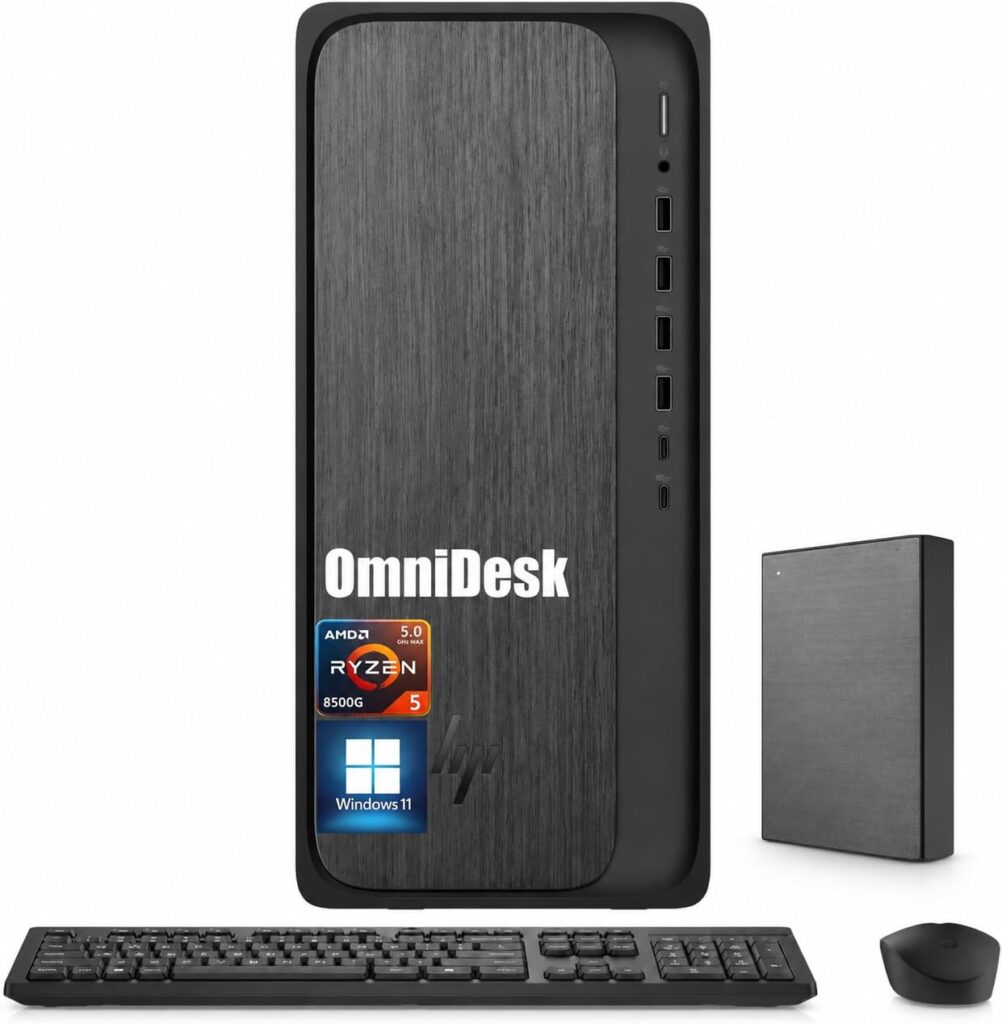
Bridging the divide between workplace utility and residential living spaces, HP’s refreshed tower design abandons industrial starkness in favor of warm, furniture-inspired styling tailored for modern home offices. Beneath the textured front fascia and recycled composite exterior lies a standardized micro-tower motherboard engineered for mainstream day-to-day office computing. The internal architecture places efficiency at the forefront, organizing its dual DDR5 memory channels and primary M.2 PCIe Gen 4 solid-state drive around low-power Intel and AMD processors. This layout ensures low electrical draw across extended workdays, though the compact chamber leaves little room for expansion beyond basic memory and peripheral swaps.
Thermal management within the chassis relies on a directed front-to-rear airflow channel aided by an efficient radial CPU cooler, which keeps typical desktop operations practically whisper-quiet during everyday multi-tab browsing and document editing. Because the tower utilizes energy-efficient 65W TDP processors paired with high-efficiency 80 Plus Gold and Platinum power supplies, waste heat remains modest under standard productivity workflows. The acoustic signature stays unobtrusive at idle, though sustained multi-threaded rendering causes the single internal exhaust fan to ramp audibly against the chassis ventilation grille.
From a long-term reliability standpoint, the system benefits from HP’s mature enterprise firmware pipeline, delivering consistent UEFI stability updates and seamless Windows 11 integration. However, the enclosure’s modular longevity is significantly constrained by proprietary engineering decisions. The custom 12V-only power supply lacks auxiliary PCIe power connectors, preventing the installation of standard high-wattage graphics cards, and the motherboard omits secondary internal drive cages for supplemental mass storage. For corporate desks and home workstations seeking dependable, out-of-the-box productivity, the platform delivers dependable baseline stability, provided users do not require heavy aftermarket internal expansion.
Technical Specifications
| Brand | HP |
| Model | OmniDesk Business Tower Desktop |
| Form Factor | Micro-Tower Desktop |
| Dimensions | 6.10 x 13.27 x 12.40 in (155 x 337 x 315 mm) |
| Weight | 12.72 lbs (5.77 kg) |
| Processor Support | Intel Core / Core Ultra or AMD Ryzen 8000 Series (up to 65W TDP) |
| Memory Architecture | 2x DDR5 DIMM slots (Dual-Channel, up to 64 GB, 4800-5600 MT/s) |
| Primary Storage | 1x M.2 2280 PCIe Gen 4 x4 NVMe SSD slot |
| PCIe Expansion Slots | 1x PCIe Gen 4 x16, 1x PCIe Gen 3 x1 |
| Power Supply Unit | 180W or 280W 80 Plus Gold / Platinum (Proprietary 12V ATX) |
| Front Panel Ports | 2x USB Type-A (10Gbps), 2x USB Type-A (5Gbps), 1x USB Type-C (5Gbps/10Gbps), 1x 3.5 mm audio combo jack |
| Rear Panel Ports | 4x USB 2.0 Type-A, 1x HDMI 1.4b, 1x DisplayPort 1.4, 1x RJ-45 Gigabit Ethernet, 1x Audio Line-Out |
| Wireless Connectivity | Wi-Fi 6 (2x2) and Bluetooth 5.4 |
| Chassis Materials | SECC steel internal structure with 50-55% post-consumer recycled plastic fascia |
| Environmental Certifications | ENERGY STAR certified, EPEAT Gold with Climate+ |
Primary Sources & Audited Citations
Recommended Alternatives in Desktops & Prebuilts
At a Glance
How reliable is the HP OmniDesk Business Tower Desktop Review: Quiet Productivity Meets Upgradability Constraints according to Mizex audits?
An excellent plug-and-play workstation for routine office productivity and media tasks, but avoid it if your future workflow demands high-end graphics card upgrades or multi-drive internal storage expansion.
What are the known quirks or drawbacks of the HP OmniDesk Business Tower Desktop Review: Quiet Productivity Meets Upgradability Constraints?
Our reliability audit identified the following documented caveats:
- Proprietary internal power supply lacks PCIe auxiliary power cables for dedicated GPU upgrades
- Restricted storage expansion with only a single M.2 NVMe slot and no internal drive bays
What are the key engineering highlights of the HP OmniDesk Business Tower Desktop Review: Quiet Productivity Meets Upgradability Constraints?
The top strengths recorded in our evaluation include:
- Quiet acoustic profile during everyday office workloads and web browsing
- High-efficiency 80 Plus Gold/Platinum internal power supply with minimal idle draw
- Eco-conscious enclosure incorporating over 50% post-consumer recycled plastics
- Generous high-speed front I/O including multiple 5Gbps and 10Gbps USB ports