MSI MAX Edge Desktop vs WiCi One
Standardized 5-pillar engineering audit, thermal telemetry, verified longevity metrics, and complete technical specification diff.
A standard desktop platform whose internal engineering, acoustic profile, and thermal performance await retail physical validation.
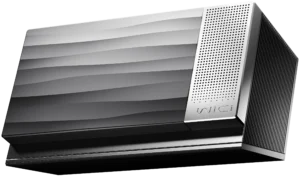
An ambitious Wi-Fi 7 untethered compute node offering flexible local AI acceleration, hampered by wireless bandwidth limits and unverified driver stability.
Mizex Comparative Audit Verdict
5-Pillar Engineering Telemetry
Detailed comparison across standardized normalized 1.0 – 5.0 engineering pillars.
MSI MAX Edge Desktop: Strengths & Caveats
- Standard desktop architecture facilitating modular maintenance and component serviceability
- Supported by MSI's established desktop ecosystem and global distribution network
- Empirical thermal dissipation, power draw, and acoustic load levels await retail physical testing
- Long-term component longevity and firmware deployment cadence unverified prior to production release
WiCi One: Strengths & Caveats
- Untethered wireless eGPU operation over Wi-Fi 7 eliminating physical Thunderbolt or OCuLink cabling
- Accommodates high-performance desktop GPUs up to Nvidia GeForce RTX 5090 alongside PCIe 5.0 NVMe storage
- Enables local network multi-device compute sharing with native OpenAI-compatible API and Ollama support
- Practical wireless throughput capped at 11.5 Gbps, significantly lower than native PCIe, Thunderbolt 5, or OCuLink
- Absence of verified independent gaming latency and frame-time consistency metrics over retail Wi-Fi 7 hardware
- Substantial power and thermal overhead, drawing up to 575W for high-end graphics processor configurations
Technical Specification Comparison
Side-by-side spec alignment. Rows highlighted with subtle shading denote differing specifications.
| Specification | MSI MAX Edge Desktop | WiCi One |
|---|---|---|
| Brand DIFF | MSI | WiCi |
| Model DIFF | MAX Edge Desktop | WiCi One |
| Device Category DIFF | Desktops & Prebuilts | — |
| Manufacturer DIFF | MSI | — |
| Form Factor DIFF | Desktop Tower | — |
| Chassis Construction DIFF | Steel and composite ventilation assembly | — |
| Cooling System DIFF | Active cooling (specification pending physical teardown) | — |
| Upgradeability DIFF | Modular desktop standard (clearances pending confirmation) | — |
| Validation Phase DIFF | Pre-release / Pending physical teardown | — |
| GPU Options DIFF | — | Nvidia GeForce RTX 5060 Ti (16GB GDDR7) / Nvidia GeForce RTX 5090 (32GB VRAM) |
| Host Processor DIFF | — | Intel Core 3 100U / Intel Core Ultra 7 255H |
| Storage Configuration DIFF | — | 1TB NVMe SSD / 4TB PCIe 5.0 NVMe SSD |
| Wireless Standard DIFF | — | Wi-Fi 7 (802.11be) |
| Radio Configuration DIFF | — | 4x4 MIMO, 320 MHz, 4096-QAM |
| Antenna Array DIFF | — | Twin external antennas |
| Practical Wireless Bandwidth DIFF | — | 11.5 Gbps |
| Theoretical Wireless Bandwidth DIFF | — | 46.1 Gbps |
| Host Interface DIFF | — | Wireless network connection (cable-free) |
| Software Runtime DIFF | — | Proprietary GPU runtime, virtual local GPU driver, scheduler, Python SDK, OpenAI-compatible HTTP API |
| Peak GPU Power Target DIFF | — | Up to 575W (RTX 5090 variant) |
Need to evaluate a different configuration?
🔍 Compare Other Hardware