
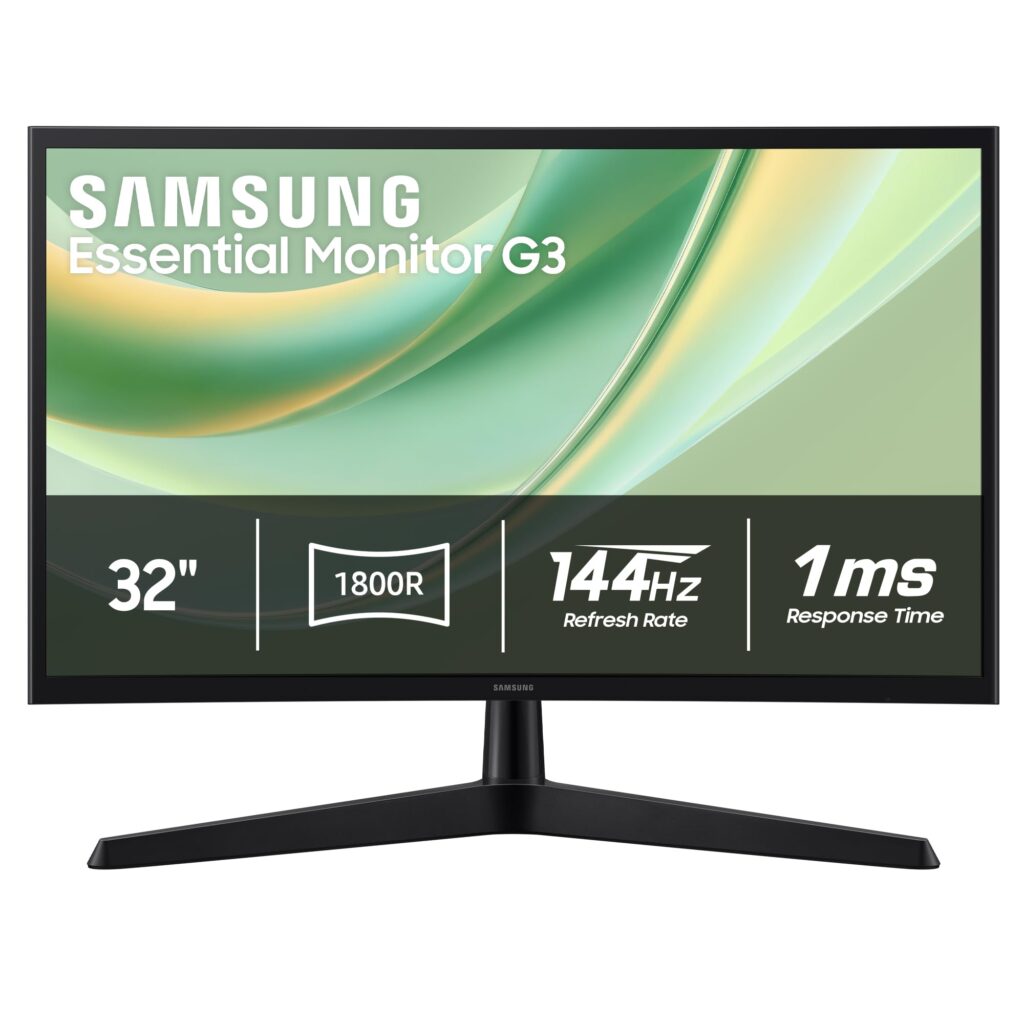
- 144Hz refresh rate supports fluid motion handling for gaming and fast-scrolling desktop tasks.
- Expansive 32-inch (81.3 cm) diagonal provides a wide field of view for distance gaming and media.
- FHD (1080p) native resolution keeps GPU rendering demands modest to sustain high frame rates.
- FHD (1080p) resolution across a 32-inch (81.3 cm) screen produces low pixel density for close-range text and productivity work.
- Entry-tier Essential positioning prioritizes large-screen 144Hz utility over higher-resolution workspace sharpness.
Overview
Pairing an expansive 32-inch (81.3 cm) canvas with a 144Hz refresh rate and FHD (1080p) resolution puts motion fluidity ahead of fine pixel sharpness. On a desk, stretching 1080p across a large diagonal makes individual pixels more noticeable during close-range reading, spreadsheet work, and web browsing than on smaller monitors or higher-resolution panels. Stepping slightly back for gaming or full-screen media shifts that balance, letting the wide viewing area take center stage while keeping rendering demands modest for mainstream graphics hardware.
Under the hood of the Essential G3 (G35H) model LS32HG350ENXZA, driving a standard 1080p signal at 144Hz relies on a mature, straightforward display controller pipeline rather than power-hungry high-DPI scaling. As an entry-tier Essential-series monitor, the chassis focuses on functional large-format framing rather than heavy premium materials. Lower electrical complexity compared with 4K high-refresh displays also keeps internal heat generation modest, allowing standard passive chassis ventilation to manage thermal loads reliably.
Everyday ownership benefits from that lack of excess complexity. Without heavy smart-OS overlays or intricate multi-zone backlight hardware introducing extra failure points, operation centers on predictable plug-and-play signal handling and steady 144Hz frame pacing. Prospective owners simply need to weigh whether a large screen and easy-to-drive frame rates matter more than crisp close-up text clarity.
Technical Specifications
| Brand | Samsung |
| Model | 32" Essential G3 (G35H) |
| Model Code | LS32HG350ENXZA |
| Screen Size | 32 in (81.3 cm) |
| Resolution | FHD (1080p) |
| Refresh Rate | 144Hz |
Primary Sources & Audited Citations
Recommended Alternatives in Monitors & Displays
At a Glance
How reliable is the Samsung 32″ Essential G3 (G35H) according to Mizex audits?
Buy this monitor if you want a large 144Hz display that is easy for a mainstream GPU to drive, but step up to a higher resolution or smaller diagonal if crisp close-range desktop text is a priority.
What are the known quirks or drawbacks of the Samsung 32″ Essential G3 (G35H)?
Our reliability audit identified the following documented caveats:
- FHD (1080p) resolution across a 32-inch (81.3 cm) screen produces low pixel density for close-range text and productivity work.
- Entry-tier Essential positioning prioritizes large-screen 144Hz utility over higher-resolution workspace sharpness.
What are the key engineering highlights of the Samsung 32″ Essential G3 (G35H)?
The top strengths recorded in our evaluation include:
- 144Hz refresh rate supports fluid motion handling for gaming and fast-scrolling desktop tasks.
- Expansive 32-inch (81.3 cm) diagonal provides a wide field of view for distance gaming and media.
- FHD (1080p) native resolution keeps GPU rendering demands modest to sustain high frame rates.