Sceptre E275B-FW180T vs Gigabyte MO27Q28GR
Standardized 5-pillar engineering audit, thermal telemetry, verified longevity metrics, and complete technical specification diff.
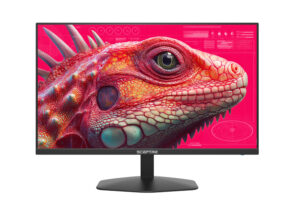
Sceptre E275B-FW180T
Delivers fluid 180Hz performance on a 27-inch panel, pairing silent passive thermal operation with lightweight plastic chassis construction.
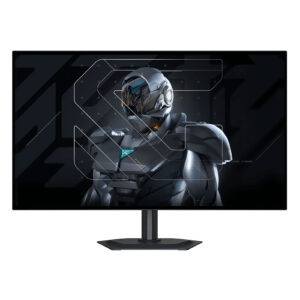
Gigabyte MO27Q28GR
Cutting-edge fourth-generation tandem WOLED engineering delivers class-leading brightness and clarity, offset primarily by specular mirror reflections in brightly lit rooms.
Mizex Comparative Audit Verdict
5-Pillar Engineering Telemetry
Detailed comparison across standardized normalized 1.0 – 5.0 engineering pillars.
Sceptre E275B-FW180T: Strengths & Caveats
- High 180Hz maximum refresh rate provides fluid visual output for fast-paced motion
- Silent operation via passive chassis convection cooling with zero fan noise
- Substantial 27-inch viewing area with slim bezel design
- 1080p resolution on a 27-inch diagonal yields lower pixel density compared to smaller panels
- Lightweight plastic chassis and basic stand offer modest structural rigidity
Gigabyte MO27Q28GR: Strengths & Caveats
- Fourth-generation four-stack Tandem WOLED architecture achieves up to 1,500 cd/m² peak HDR and 335 cd/m² full-screen SDR brightness
- Zero-haze RealBlack Glossy coating maintains deep black levels certified up to 500 lux ambient light without surface grain
- Ultra-responsive 280 Hz refresh rate combined with 1440p resolution delivers exceptional competitive motion clarity
- Dual-module tandem design provides an estimated 20% reduction in power consumption compared to previous-generation WOLED
- Direct light sources positioned behind the viewer produce distinct specular mirror reflections on the glossy surface
- Internal thermal dissipation sub-assembly and sustained acoustic performance await verification via retail physical teardown
Technical Specification Comparison
Side-by-side spec alignment. Rows highlighted with subtle shading denote differing specifications.
| Specification | Sceptre E275B-FW180T | Gigabyte MO27Q28GR |
|---|---|---|
| Brand DIFF | Sceptre | Gigabyte |
| Model DIFF | E275B-FW180T | Gigabyte MO27Q28GR |
| Display Size DIFF | 27-inch | — |
| Native Resolution DIFF | 1920 x 1080 (FHD) | — |
| Maximum Refresh Rate DIFF | 180Hz | — |
| Aspect Ratio DIFF | 16:9 | — |
| Cooling Type DIFF | Passive Convection (Fanless) | — |
| Chassis Material DIFF | Polymer Enclosure | — |
| Form Factor DIFF | Flat Desktop Monitor | — |
| Screen Size DIFF | — | 27-inch |
| Resolution DIFF | — | 2560 x 1440 (QHD) |
| Refresh Rate DIFF | — | 280 Hz |
| Panel Technology DIFF | — | LG Display 4th Gen WOLED (Primary RGB Tandem) |
| Panel Structure DIFF | — | Dual-module vertical tandem with charge generation layer (four emissive layers) |
| Surface Coating DIFF | — | RealBlack Glossy (Zero-haze optical layer with anti-reflective treatment) |
| Full Screen Sdr Brightness DIFF | — | 335 cd/m² |
| Peak Hdr Brightness DIFF | — | 1,500 cd/m² (at 1.5% APL) |
| Ambient Light Certification DIFF | — | UL certified full black reproduction at 500 lux |
Need to evaluate a different configuration?
🔍 Compare Other Hardware