Gigabyte TRX50 AERO D vs ASRock X870E Challenger Wifi
Standardized 5-pillar engineering audit, thermal telemetry, verified longevity metrics, and complete technical specification diff.
A powerhouse E-ATX workstation motherboard delivering robust 16+8+4 phase power delivery, Marvell 10GbE, dual USB4, and forward-compatible sTR5 Threadripper support.
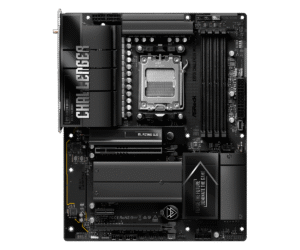
High-value ATX motherboard providing robust X870E feature sets, cutting-edge Wi-Fi 7, USB4, and quad M.2 expansion.
Mizex Comparative Audit Verdict
5-Pillar Engineering Telemetry
Detailed comparison across standardized normalized 1.0 – 5.0 engineering pillars.
Gigabyte TRX50 AERO D: Strengths & Caveats
- Robust 16+8+4 phase digital VRM design with dual 8-pin power connectors for heavy workstation workloads
- High-bandwidth I/O with dual USB4 Type-C ports, Marvell 10GbE LAN, and Wi-Fi 7
- Four M.2 slots with full thermal armor heatsinks, including three PCIe 5.0 x4 slots
- Forward platform compatibility with Ryzen Threadripper 7000 and 9000 Series via Q-Flash Plus BIOS updates
- Memory subsystem limited to quad-channel architecture rather than 8-channel WRX90 bandwidth
- E-ATX form factor demands a large chassis with extended motherboard tray clearance
ASRock X870E Challenger Wifi: Strengths & Caveats
- Native USB4 and high-bandwidth Wi-Fi 7 networking integration
- Generous storage expansion with four dedicated M.2 slots
- Extensive processor compatibility spanning Ryzen 7000, 8000, and 9000 series
- Completely passive chipset cooling for silent acoustic performance
- ATX dimensions require mid-tower or full-tower chassis clearance
- High-speed lane configurations require careful lane sharing consideration across multiple M.2 drives
Technical Specification Comparison
Side-by-side spec alignment. Rows highlighted with subtle shading denote differing specifications.
| Specification | Gigabyte TRX50 AERO D | ASRock X870E Challenger Wifi |
|---|---|---|
| Brand DIFF | Gigabyte | ASRock |
| Model DIFF | TRX50 AERO D | ASRock X870E Challenger Wifi |
| Form Factor DIFF | E-ATX | ATX |
| Cpu Socket DIFF | AMD Socket sTR5 (SP6) | — |
| Chipset DIFF | AMD TRX50 | AMD X870E |
| Processor Support DIFF | AMD Ryzen Threadripper 7000 Series, AMD Ryzen Threadripper PRO 7000 WX-Series, AMD Ryzen Threadripper 9000 / PRO 9000 WX-Series (via BIOS update) | — |
| Power Phase Design DIFF | 16+8+4 digital VRM phases | — |
| Power Connectors DIFF | 1x 24-pin ATX, 2x 8-pin CPU power connectors | — |
| Memory Type DIFF | DDR5 R-DIMM | — |
| Memory Slots DIFF | 4 | — |
| Memory Architecture DIFF | Quad-channel | — |
| Memory Speed Support DIFF | Up to DDR5-6400 | — |
| Memory Overclocking Profiles DIFF | AMD EXPO, Intel XMP | — |
| Pcie Expansion Slots DIFF | 3x PCIe x16 slots (PCIe 5.0 and PCIe 4.0) | — |
| Storage M2 Slots DIFF | 4x M.2 slots (3x PCIe 5.0 x4, 1x PCIe 4.0 x4) | — |
| Storage Sata Ports DIFF | 8x SATA III 6Gb/s | — |
| Wired Networking DIFF | 1x Marvell 10GbE LAN, 1x secondary RJ45 LAN | — |
| Wireless Networking DIFF | Wi-Fi 7 (802.11be) | Wi-Fi 7 |
| Usb Connectivity DIFF | 2x USB4 Type-C, 4x USB 3.2 Gen 2 Type-A, 4x USB 3.2 Gen 1 | USB4, USB Type-C |
| Display Outputs DIFF | 1x DisplayPort | HDMI |
| Cooling Features DIFF | VRM Thermal Armor, M.2 Thermal heatsinks on all 4 M.2 slots | — |
| Utility Buttons DIFF | 1x Q-Flash Plus button | — |
| Socket DIFF | — | AMD AM5 |
| Supported Processors DIFF | — | AMD Ryzen 7000, 8000, and 9000 Series |
| M2 Slots DIFF | — | 4 |
| Part Number DIFF | — | 90-MXBUG0-A0UAYZ |
Need to evaluate a different configuration?
🔍 Compare Other Hardware